
Artwork you own, in a file a seller can print
Rights first, files second. What you may send for a custom piece, what 100buy’s own pages say about designs that belong to someone else, and how to prepare a file that survives the trip.
Your own artwork, and nothing borrowed
Every custom order starts with something you send: a drawing, a photo, a few words, a small emblem for a club or a market stall. The rule this site follows is short. Send only what you made yourself or what you have clear permission to use. Your sketch of your dog, your band’s name in a lettering style you drew, a logo a friend designed for your bakery and handed over: those are yours to send.
Plenty of things feel like they belong to everyone and do not. A sportswear maker’s emblem, a team badge, a cartoon character, a still from a film, a famous person’s face, a photo found through an image search. The U.S. Copyright Office, Circular 1, Copyright Basics explains that copyright protects original work from the moment it is created, without any registration, and its U.S. Copyright Office, Circular 14 on derivative works explains that a new work built on someone else’s existing work generally needs the owner’s permission.
None of that is legal advice for your situation. It is the reason this site, and the spec slip on it, will not help with borrowed artwork, and the reason a seller who offers to copy something famous for you is a seller to step away from.
What 100buy says about other people’s rights
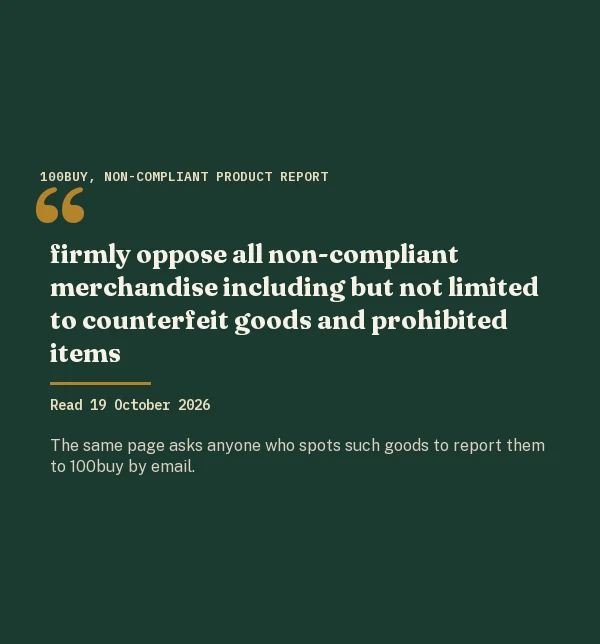
100buy states its position in more than one place. Its Non-Compliant Product Report page, read on 19 October 2026, says the company will:
firmly oppose all non-compliant merchandise including but not limited to counterfeit goods and prohibited items
Its Service Terms go further in their list of goods the service will not handle: anything that breaches copyright, a trademark, someone’s privacy or another proprietary right, under the law of any country. In plain terms, artwork that belongs to someone else is outside what you can ask 100buy to buy for you, whatever the seller is willing to make.
That fits the way this site treats custom work. The question is never whether a seller can stitch a famous emblem, because many can. The question is whether the design is yours, and if it is not, the order should not be placed.
Logos, names and why a mark is not decoration
A trademark is not a picture that happens to be popular. The USPTO, what a trademark is page describes it as something that tells customers who a product comes from: a name, a logo, a slogan, sometimes a color or a shape. Put a sportswear maker’s mark on a hoodie and the hoodie claims to come from that maker, which is exactly what the mark exists to prevent.
The same idea works in your favor. A logo you created for your running group, your café or your family reunion is your mark, and a seller can stitch it for you without anyone else’s permission. Keep the file and the story of where it came from; if a seller or the agent asks, you can answer in one line.
Names of people are different again. Your own name, your child’s name, a teammate’s nickname for a club shirt you designed: fine. A celebrity’s name used to sell the item, or their face, raises rights that belong to them. The spec slip does not try to judge those cases; it refuses well-known clothing, sports and character names outright and leaves the rest to your judgment.
Vector files and pixel files
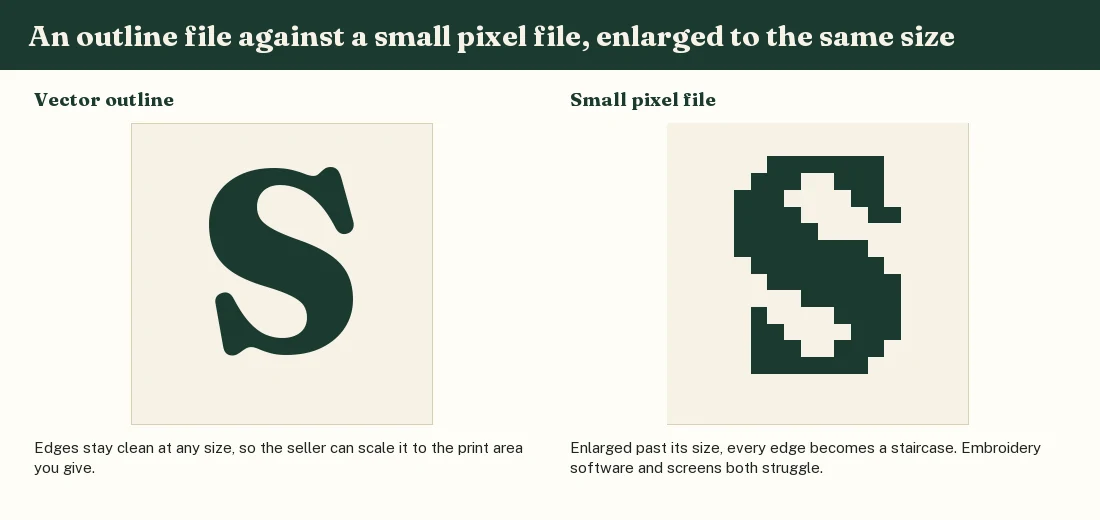
Sellers who print or stitch your design work from a file, and the type of file decides how much they can do with it. A vector file stores shapes as mathematical outlines. It can be enlarged to the back of a jacket or shrunk to a ring and the edges stay sharp. Common vector formats are AI, EPS, SVG and PDF files saved with their outlines intact.
A pixel file, also called a raster file, stores a fixed grid of colored squares: PNG and JPG are the familiar ones. It looks fine at the size it was made for and turns blocky when stretched. Neither type is wrong. Logos and lettering are happiest as vectors; photos and painted artwork are naturally pixel files and just need enough pixels for the printed size.
How many pixels a print needs
Printers commonly ask for about 300 pixels for every inch of the printed design. The arithmetic is quick. A print 25 centimeters wide is just under 10 inches, so the file wants roughly 2,950 pixels across. A small chest print 9 centimeters wide wants a little over 1,000. Below about half of that, most printers start to warn you.
Phone photos of a paper sketch are the usual weak spot. The camera adds a gray background, shadows and perspective, and all of that ends up on the shirt unless someone cleans it. Some sellers redraw a sketch as a clean outline before printing, sometimes for a fee; ask whether they do and whether you will see the result before production.
Two more habits help. Save prints with a transparent background (PNG supports it, JPG does not), so the seller is not left guessing where your design ends. And send the file at its real size or larger, never a screenshot of it, because screenshots quietly throw away pixels.
Colors in the file and colors on the fabric
A screen glows; fabric reflects. The red you chose on a laptop is made of light, and the red on a tee is ink or thread sitting on cotton of a particular whiteness. Expect them to differ, and expect the difference to be larger on dark garments, where light inks need a white layer underneath.
Describe the colors you want in words as well as in the file: “dark forest green, not bright green”, “cream thread, not white”. If the color matters, ask the seller for a photo of the actual thread or a printed swatch before production. Sellers who stitch regularly have thread charts and can photograph two or three options next to each other.
Count your colors honestly too. Screen printing and embroidery both charge, in time if not in money, for every additional color. A design with soft shading may need to be simplified to four or five flat colors, and it is better to do that yourself than to let a seller decide which shades disappear.
Getting the file to the seller through an agent
Through an agent there is a step between you and the seller, and files have to cross it. 100buy’s public help pages describe a remark field for notes at the time of ordering, which is plain text. They do not describe how an image file reaches the seller, and the order form sits behind the login, so we could not check.
Ask 100buy support before paying, and ask a specific question: “I have a PNG file for a custom print on this listing; how do I get it to the seller?” Write the file name in your remark as well, so the instruction and the file can be matched. If the seller later sends a proof, you will know the right file arrived.
Keep the original file and every version you send. If a proof comes back wrong, being able to say “use the file named club-crest-v3.png, 3,000 pixels wide” settles the matter faster than any description.